Legend Creator V2.3
A downloadable tool for Windows
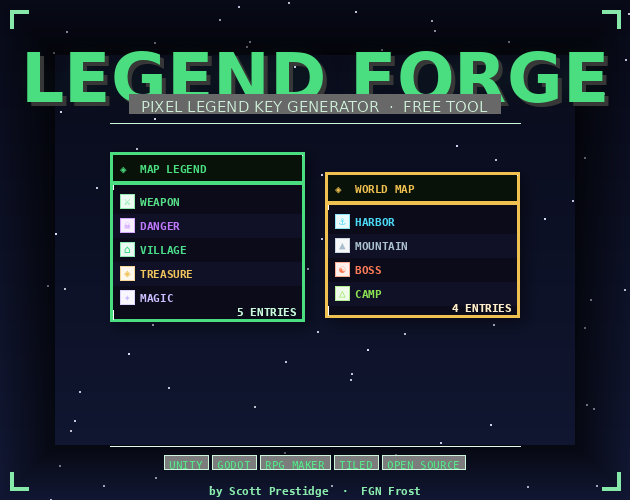
Legend Forge is a desktop tool for game developers that lets you build and export pixel-style legend key panels — the UI overlays that appear on game maps to explain what each icon means (towns, dungeons, hazards, quest markers, etc.).
You design your legend visually: pick from built-in symbols or upload your own icon images, customize colors, fonts, layout, and theme, then export a finished PNG ready to drop directly into Unity, Godot, RPG Maker, Tiled, or any other engine. Projects save as .lgnd files so you can come back and tweak them later. No coding required.
Download
Install instructions
How to Run Legend Forge
What You Need First
- Download and install Python from python.org — get the latest version, and during install check "Add Python to PATH"
Quickest Way to Run
- Extract the
LegendForge_v3.zipfile anywhere on your PC - Open the extracted
legend_forge2folder - Double-click
run.bat
That's it — it will automatically install the one dependency it needs (Pillow) and launch the app.
To Build a Standalone .exe (No Python Required to Share)
- Double-click
build.bat - Wait for it to finish (takes a minute or two)
- Your
.exewill be atdist\LegendForge\LegendForge.exe - That whole
dist\LegendForge\folder is self-contained — zip it up and share it with anyone
Optional — Better Pixel Font
For authentic pixel-style text in your exports:
- Download Press Start 2P for free at fonts.google.com/specimen/Press+Start+2P
- Drop
PressStart2P-Regular.ttfinto thefonts\folder inside your Legend Forge directory - Restart the app — it will pick it up automatically
Troubleshooting
- "Python not found" — reinstall Python and make sure to check Add Python to PATH
- App opens but looks wrong — install the pixel font above
- Icons not showing after reload — keep your icon images inside the
icons\folder so the app can always find them
Leave a comment
Log in with itch.io to leave a comment.